

While Atomic builds
Each request you send starts a build. The conversation shows its progress as it goes. The preview shows a blurred picture of the app as it takes shape, and becomes usable once the build has been checked.
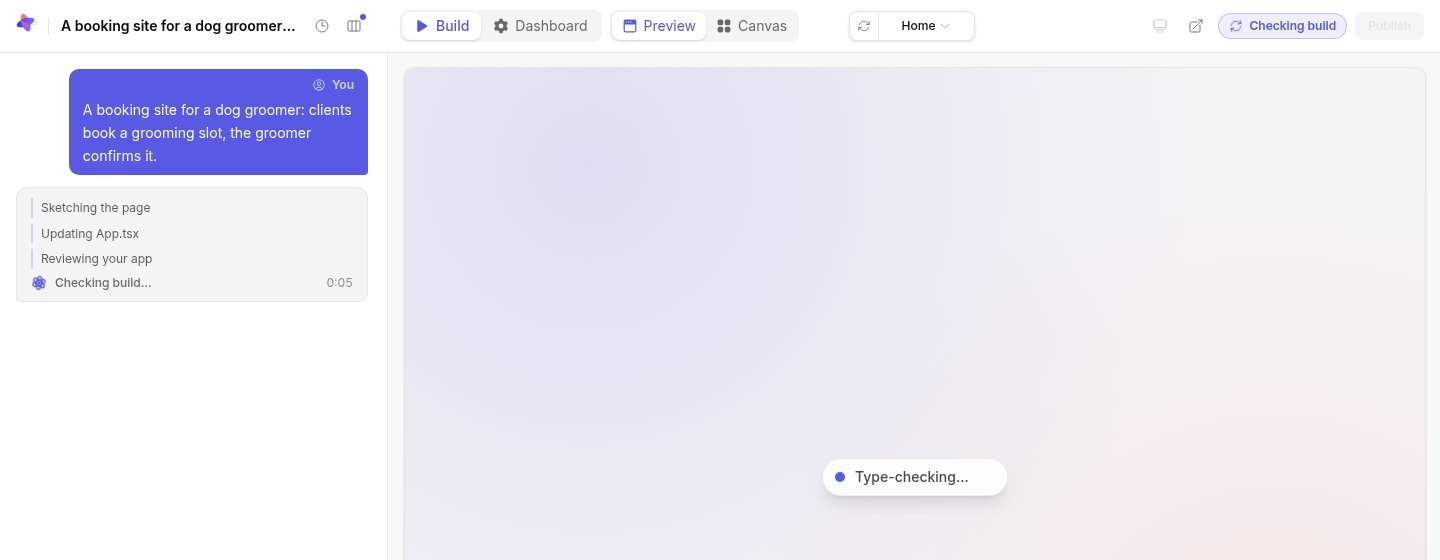
Select Stop to cancel the current build. Work that was interrupted may be recoverable, but it is treated as a good version only after it passes the checks.
What Atomic checks
Every build is checked before it becomes a version you can use:
- the app builds without errors;
- its list of screens matches its pages, and every screen opens as the role it is for and in each of its states, such as an open dialog, without errors or an empty page;
- once the app has a backend, that the backend starts, keeps data and serves the screens.
The toolbar shows the result. Verified means the version passed and is ready to try. Not verified means it failed a check: ask for a fix in the conversation. Only a verified version can be published.
Passing the checks does not show that the app does what you meant, or that its permissions are right. Try it as each kind of user before you share it.
When a request changes nothing
Requests in the conversation change the app’s screens. If one changes nothing on the screens, for example because it is about how the app stores or handles data, Atomic offers Change the backend. Atomic only changes the backend when you accept, since a question changes nothing too.
The Builds page
Builds in the sidebar lists every build and publication across your apps, newest first, with counts of those running, succeeded, failed and cancelled.
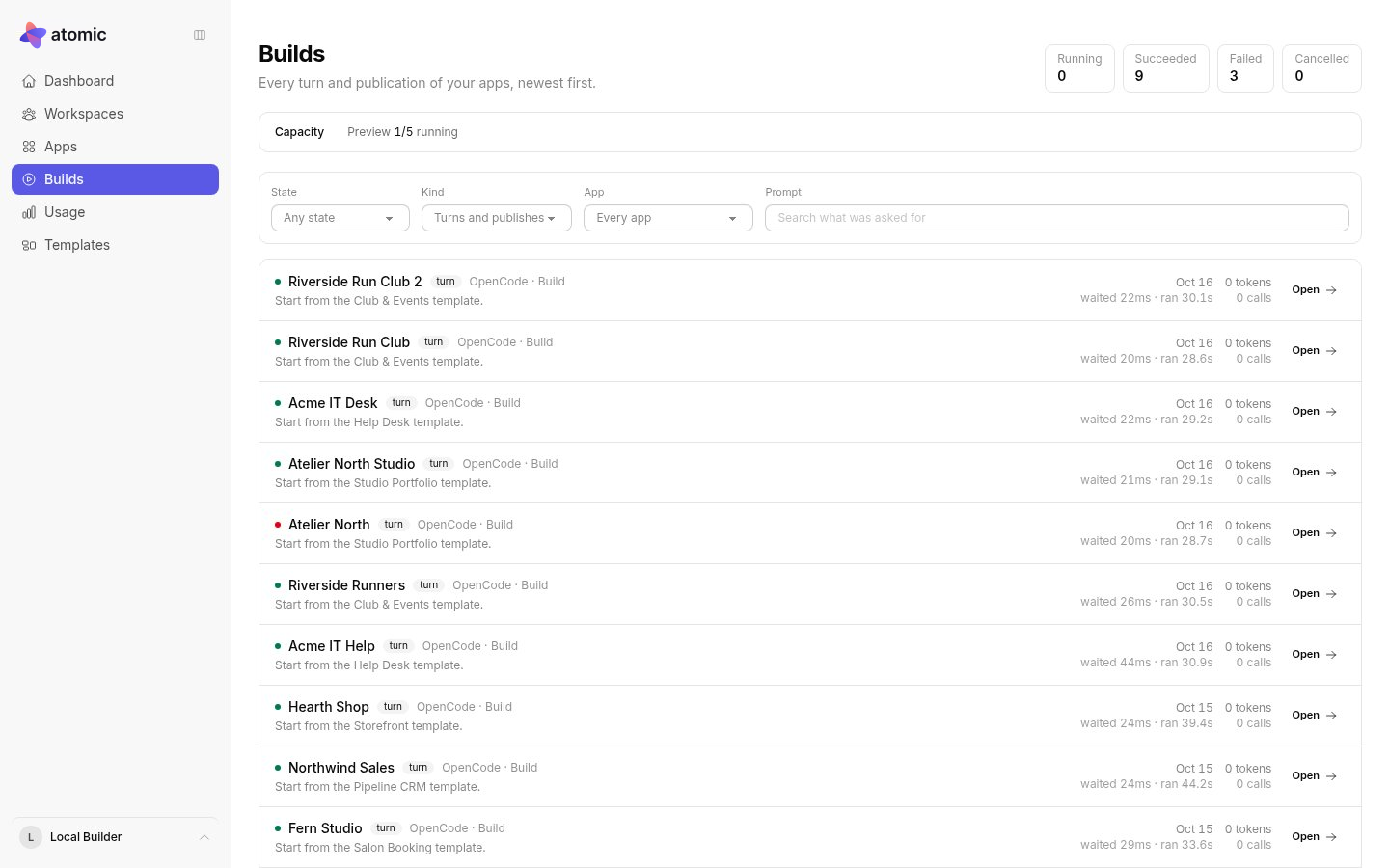
Each row shows the app, the agent and mode, what was asked for, how long the build waited before it started, how long it ran, and what it used. Filter by state, by kind (turns, publishes or rollbacks) or by app, and open a row for its details. The list refreshes on its own while anything is running.
A queued build is waiting for capacity. A failed build is not a finished app: the previous verified version stays in place.