

Annotate an element
Some changes are easier to describe than to make by hand: a new section, a different behavior, a rewrite. Select the element on the canvas, then choose Annotate on its toolbar, or Start an annotation on the card above the message box.
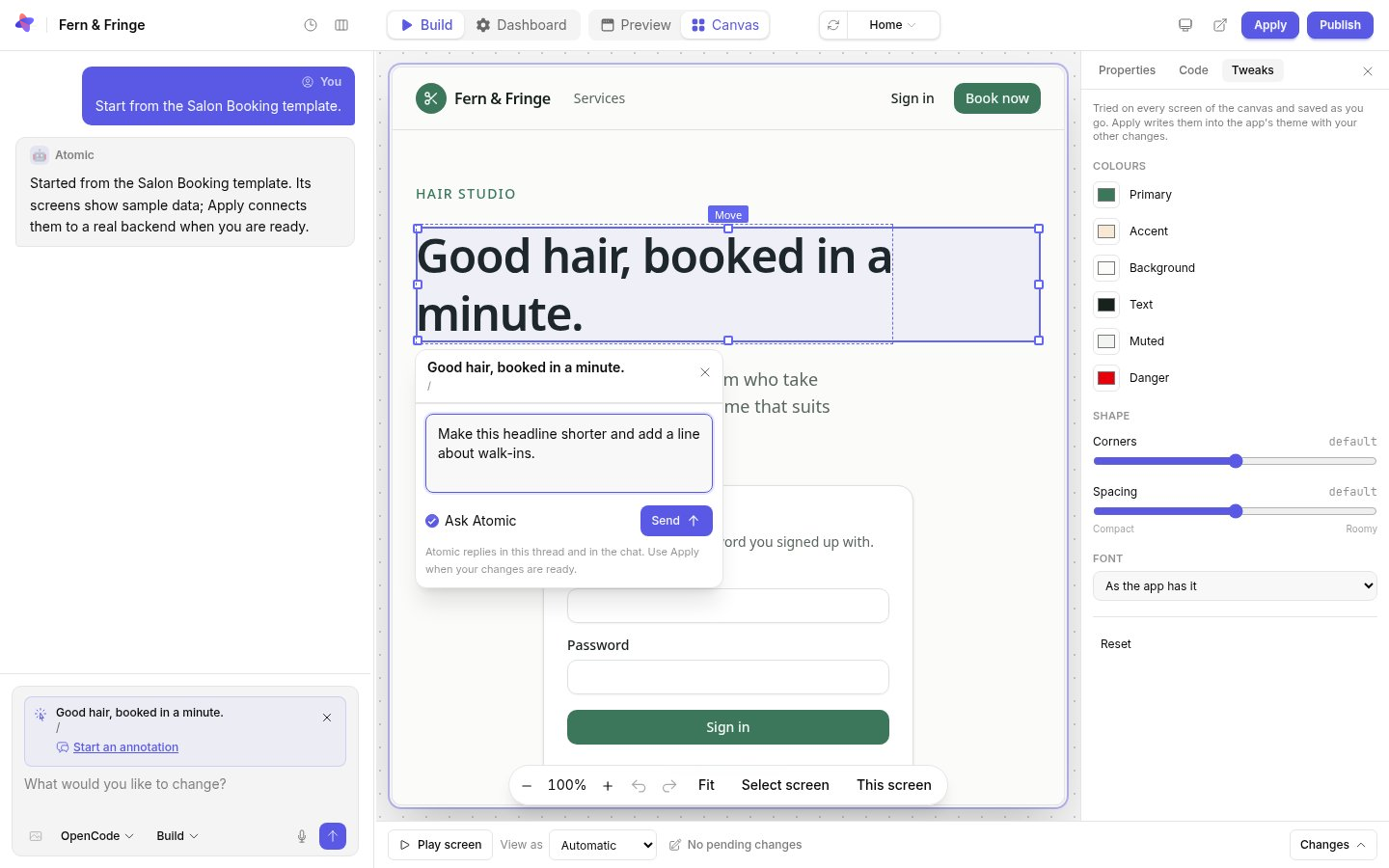
Write what should change and select Send. With Ask Atomic checked, Atomic works on the request. Uncheck it to leave a comment on the element without asking Atomic to act on it.
Threads
Each annotation starts a thread pinned to its element. Atomic replies in the thread and in the conversation. Reply with Reply about this element to refine the request.
- Pins mark the elements that have threads; select one to open it.
- Resolve thread closes a thread that is done; Delete thread removes it and its comments.
- You can reply while Atomic is working, and ask for further changes once the current task finishes.
- If the screen changed since a request was written, the thread shows that it is out of date so you can send it again.
Accepting the changes
Requests are worked on one at a time, in the order you send them. The changes they make join your other drafts. Select Apply when you are ready to accept them all as a new, checked version.