

Browse the source
Open the app’s Dashboard and select Browse source under Code. The source is read-only and comes from a verified version, marked Verified source.
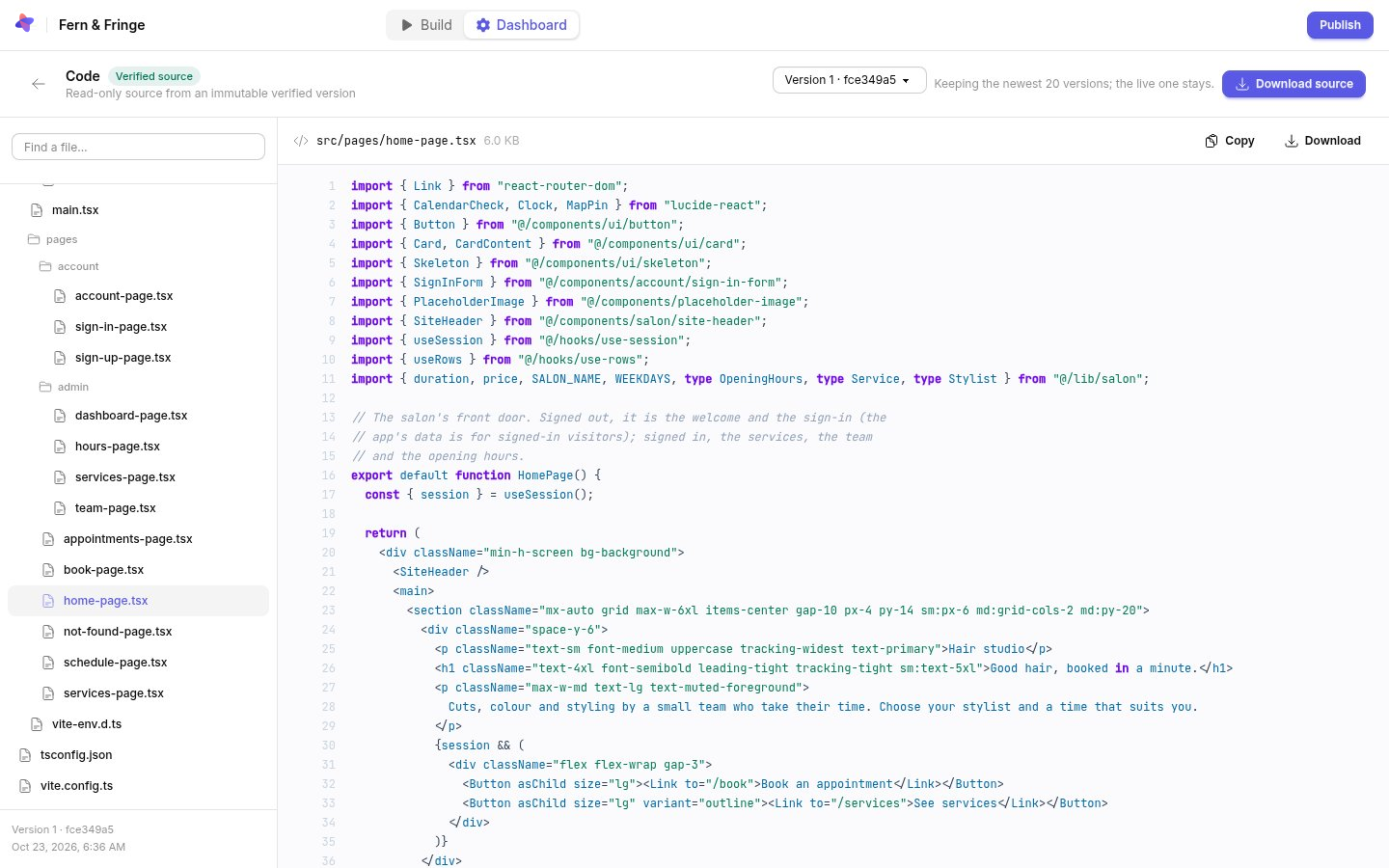
- Choose a version from the menu at the top. The newest 20 versions are kept, and the published one always stays.
- Use Find a file to search the file tree.
- Copy or Download the open file.
Download everything
Download source downloads the selected version’s files as an archive. Apps are written in React with TypeScript and styled with Tailwind CSS. The archive leaves out build output, installed packages, Atomic’s own working files and anything that looks like a credential.
While a build is running you can read the files it has saved so far, but only verified versions can be downloaded.
Downloading source is part of the Builder and Pro plans. On Free you can browse every file, and Download with a paid plan takes you to your plan settings.
What the source is not
The source describes the app. It is not a backup of a running app: it does not include the app’s users, records, uploaded files or hosting. Generated projects can include packages under third-party licenses; check them before you redistribute the project. See what you can take with you.