

Who can build an app
Three groups of people can work on an app in Atomic:
- the app’s owner;
- members of the app’s workspace;
- collaborators invited to that one app, who need not belong to the workspace.
None of them are app users. To use a private finished app, they need an app-user invitation like anyone else.
Invite a collaborator
Open the app’s Dashboard and find Collaborators. Enter an email address, choose Editor or Admin, and select Invite.
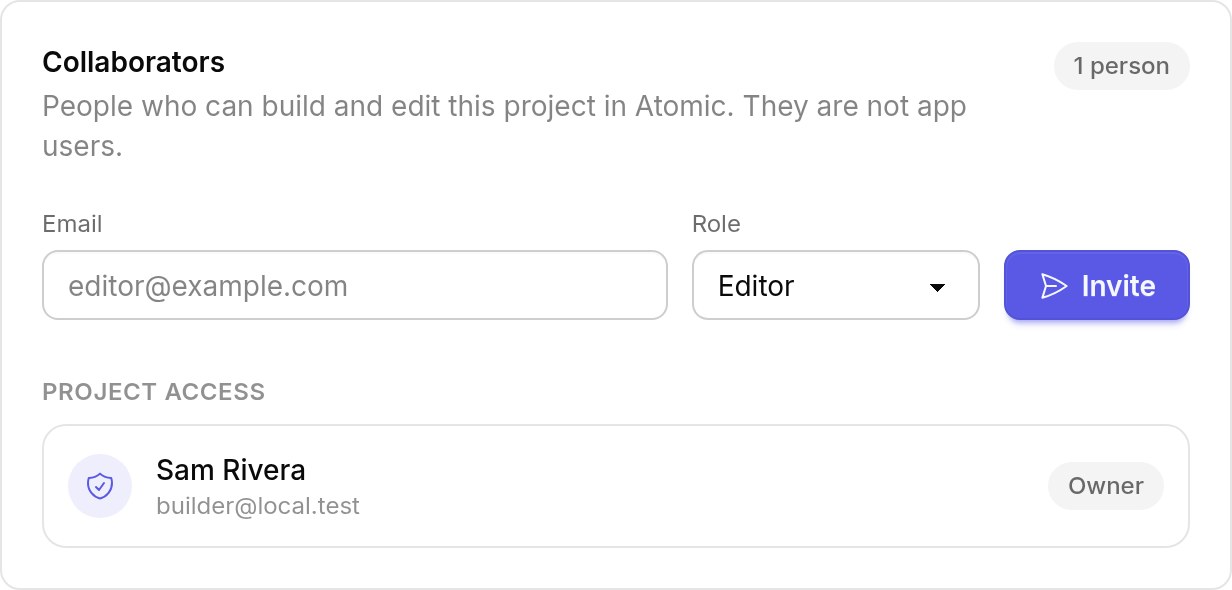
The invitation lasts seven days and works once. Your collaborator must sign in with the invited email address, and have it verified, to accept it.
What each role can do
| Role | Can |
|---|---|
| Owner | Everything, including inviting admins and editors, changing their roles and deleting the app |
| Admin | Build, apply, publish, manage access and app users, connect a domain and roll back; invite and remove editors |
| Editor | Build and apply changes; cannot publish or manage access |
Use Make admin or Make editor beside a collaborator to change their role. Only the owner can delete the app. Your plan may limit how many collaborators an app can have.
Removing access
Remove a collaborator from the app’s collaborator list. Revoking an invitation only stops one that has not been accepted yet.
Access from a workspace and access from a collaborator invitation are separate. Removing someone from the workspace does not remove an app they were invited to directly; remove them from that app as well.